Classes
We create Linux groups for groups which work on the cluster, this includes classes. Class groups allow us to to keep track of the resource utilization between groups and classes. When a student is enrolled in a class they are automatically added to that class group. If they don't have access yet, this gives them initial access to the cluster.
Data
If requested, classes are provided a shared space for faculty and students to use for coursework. By default, students are given their own individual directory to work from, however the structure is flexible to accommodate group projects or any other setup required.
Faculty members are given full access to any files under their class folder.
Location: /data/classes/<year>/<term>/<class>
Example: /data/classes/2025/spring/cs146
Accessing Files:
When setting up a class folder, we have it set up to automatically create a symbolic link / shortcut to a student's personal folder from their own home directory. This is only accessible by the student and their professor.
Course files are typically made available by faculty under the course_files directory. This is accessible by each student, but files can only be viewed and not changed.
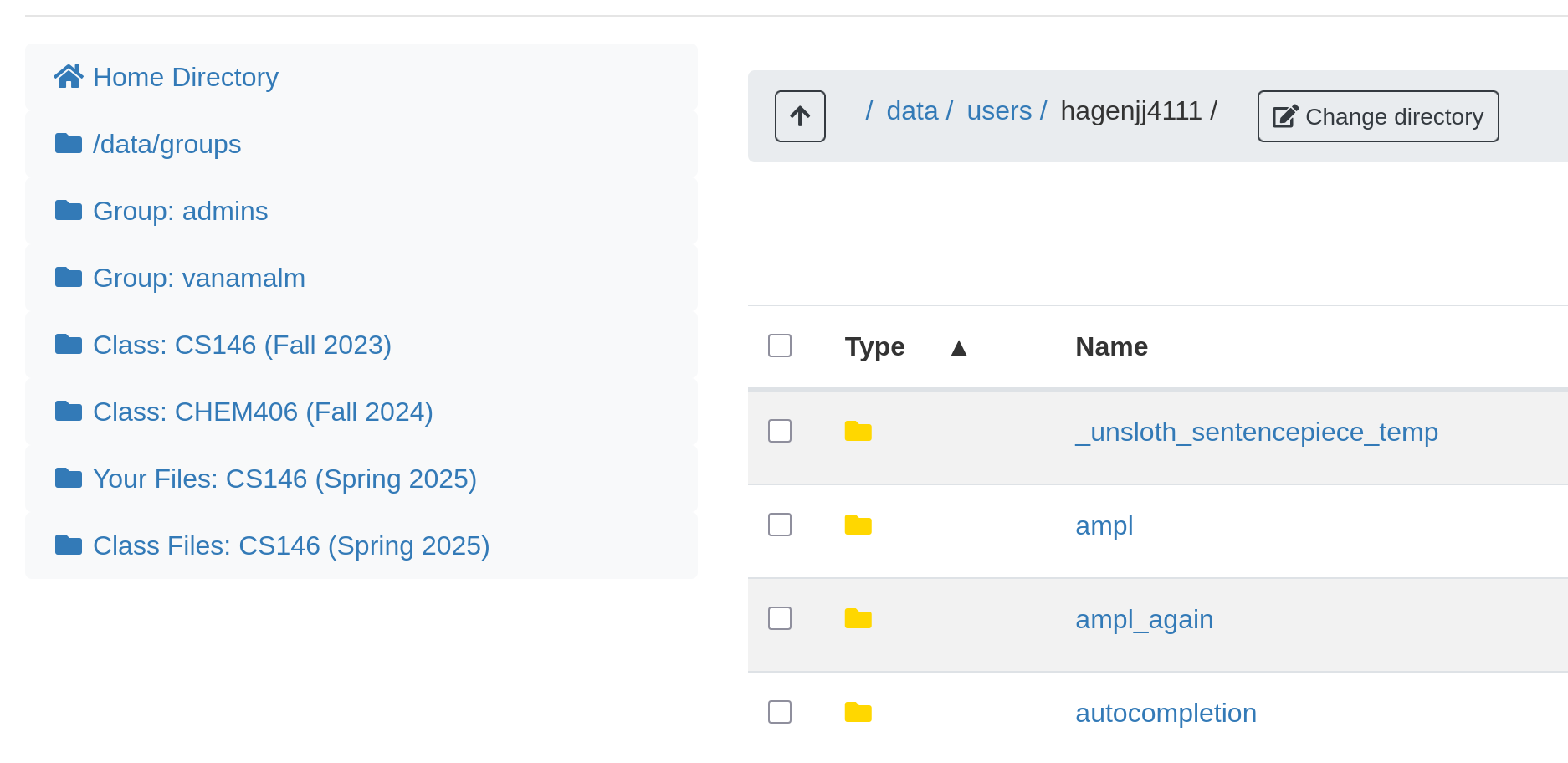
In Open OnDemand, you can access class files in the files app. There is also a sidebar on the left side of the screen in the files app which can take you directly to your course or research files.
Accounting
We track the resource utilization of different groups to watch for problems on the cluster and better understand the resource needs of our researchers and classes. To specify which account a job should run under, use the --account sbatch flag. You can run the myaccounts command on either cluster to see which accounts you are part of.
You can also designate which account to run under in Open OnDemand with the dropdown menu for "Accounting Group" when creating your instance.
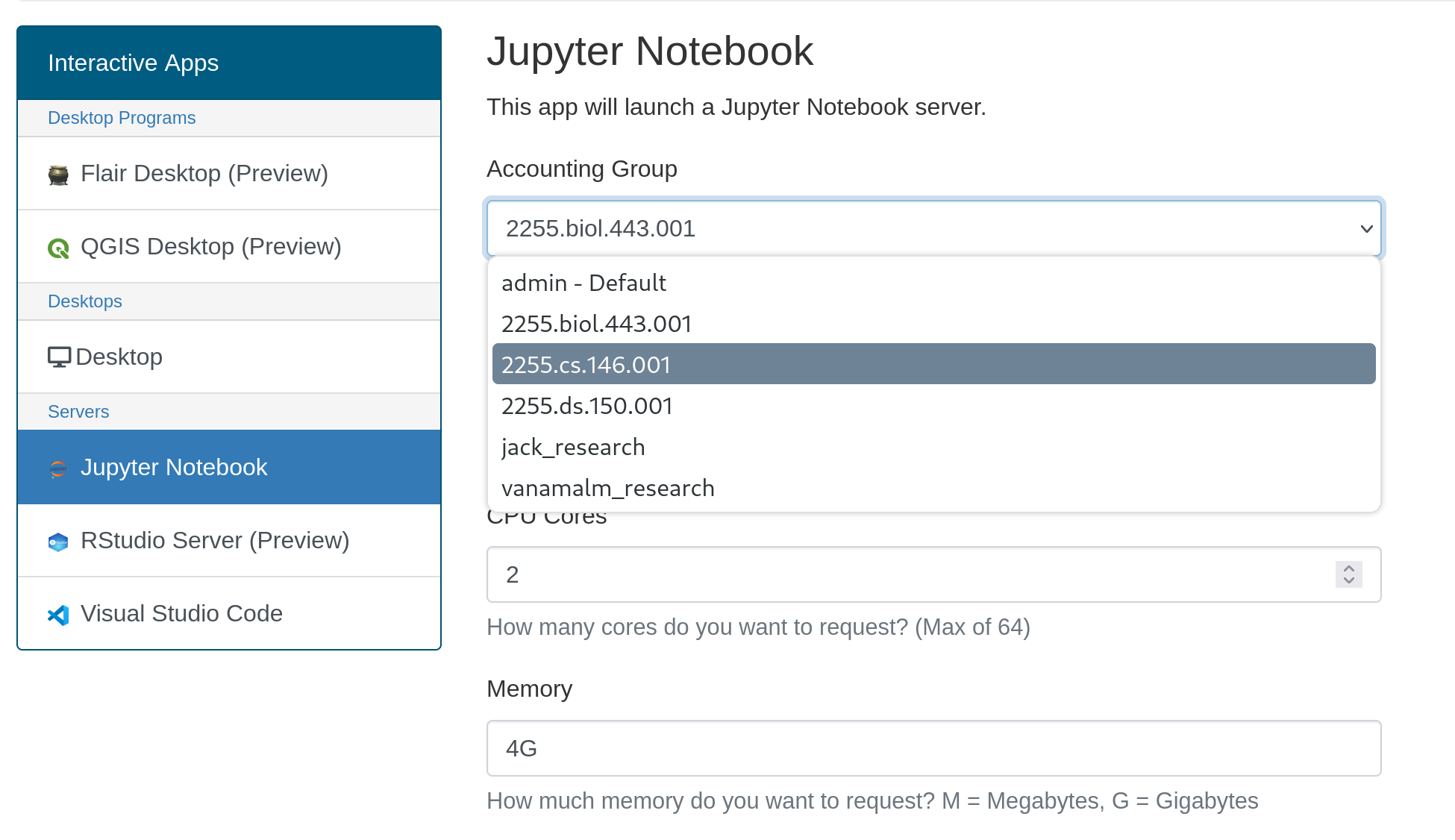
If the user is only in one group (IE they are only in a class) this option is unnecessary because Slurm will automatically attribute it to that group, but if the user is in multiple groups (IE they are in a class and a research group which both use the cluster) they will need to specify which group to run under.
Class Reservations
If a class requires reliable access to certain hpc resources, the faculty can request a reservation by contacting the hpc admin team. This will reserve the requested resources for the group, not allowing any other party to use it while the reservation is active.
When making a request for a reservation, please include
- Which class is this for? What section?
- Do you need OnDemand, WebMO, GPUs?
- When do you want your reservation? How long will it be?
- Does your class need an introductory presentation or training?
Reservations are tied to the class account in Slurm, and is automatically used by students in the class when they submit a job. If a student submits a job and the class' reserved node is already fully booked, their job will typically run on other nodes based on current availability.