Research Groups
We support creating Linux groups for research teams in order to share research materials on the cluster. A faculty can request the creation of a group and the addition of students by contacting the admin team.
Data
Group data is the primary location for all shared files amongst members in the same group, such as a research group. We recommend most users utilize the shared space for all of their research files so each member can access the scripts, datasets, programs, and job results from each other.
Typically this is based off the faculty advisor's username that is leading the research group. Multiple project folders can also be created with more granular permissions if you have different group members for each project.
Single Folder:
/data/groups/<username>
Multiple Projects:
/data/groups/<username>/projectA <-- Group A Members Only
/data/groups/<username>/projectB <-- Group B Members Only
Requesting a Folder:
You can request a folder to be set up, or changed at any time, just let us know:
- What you want your group to be called (if have multiple projects)
- Who is in each group (include usernames place)
Accounting
We track the resource utilization of different groups to watch for problems on the cluster and better understand the resource needs of our researchers and classes. To specify which account a job should run under, use the --account sbatch flag. You can run the myaccounts command on either cluster to see which accounts you are part of.
You can also designate which account to run under in Open OnDemand with the dropdown menu for "Accounting Group" when creating your instance.
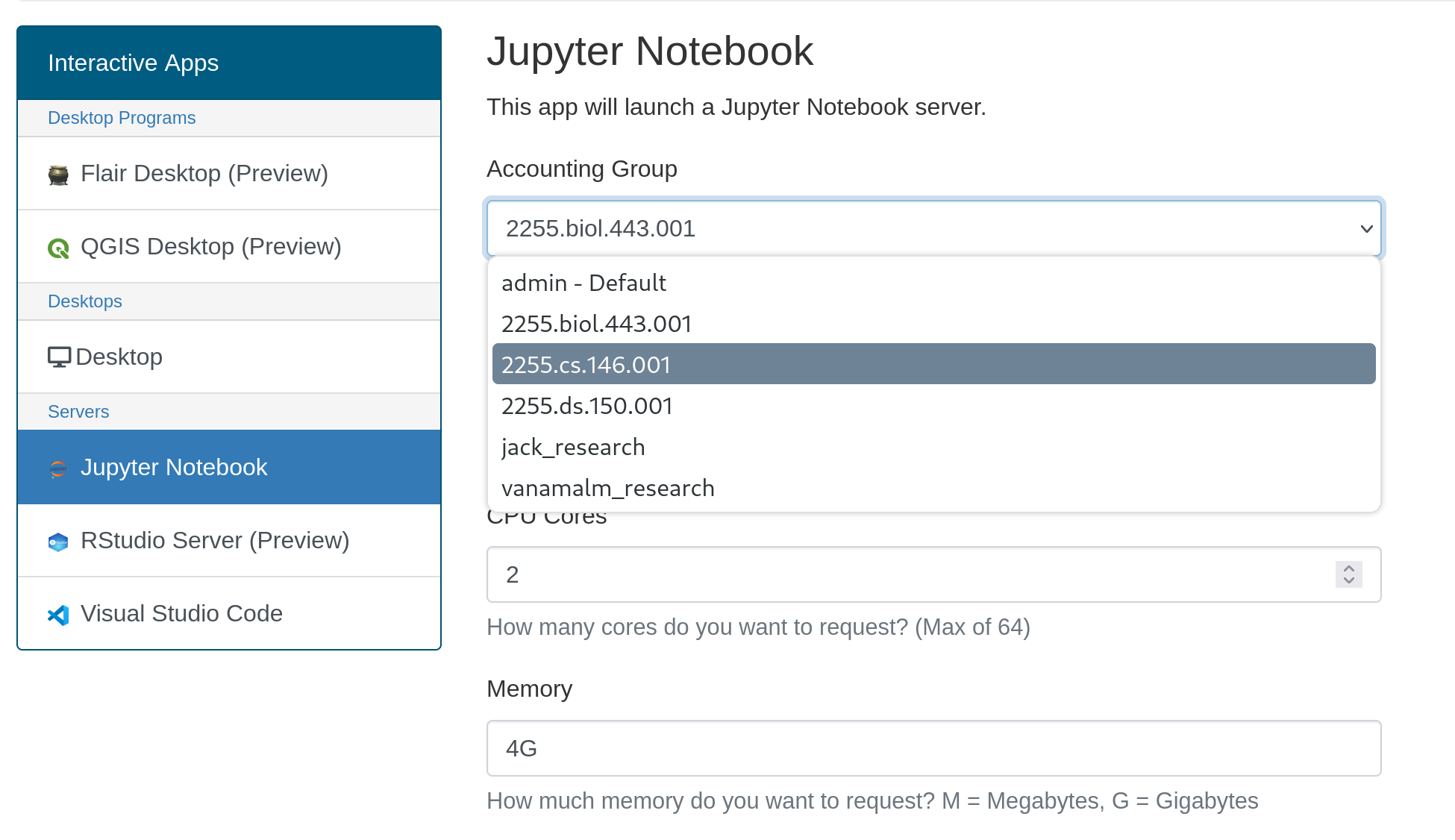
If the user is only in one group (IE they are only in a class) this option is unnecessary because Slurm will automatically attribute it to that group, but if the user is in multiple groups (IE they are in a class and a research group which both use the cluster) they will need to specify which group to run under.
Group Reservations
We do not typically approve reservation requests for dedicated resources for a research group, which gives you exclusive access to some nodes for a set period of time. However, we recognize there are times such as paper revisions that may require expedited access. Please contact the HPC admin team to discuss options.
Reservations are tied to the group account in Slurm, and is automatically used by members in the group when they submit a job targeting that account (see Accounting section). If a member submits a job and the group's reserved node is already fully booked, their job will typically run on other nodes based on current availability.