WebMO
WebMO is a web-based application built to support computational chemistry right in your favorite web browser. Through it, you are able to design and build modules, then run them through computational software such as Q-Chem and Gaussian to perform calculations and analysis.
Off Campus Access
WebMO is only available to University of Wisconsin-Eau Claire accounts and you must either be physically on campus, or be connected to the GlobalProtect VPN.
How To Access WebMO
Logging into WebMO is pretty straightforward and only requires access to our high-performance computing cluster. All HPC researchers are able to use WebMO automatically, but class access must be set up in advance.
Right now we have enabled access for the following Spring 2026 courses:
- CHEM 106 (General Chemistry I Laboratory)
- CHEM 109 (General Chemistry II with Lab)
If you'd like to use WebMO for your class and it's not listed above, you must let us know as soon as possible.
Step 1: Go To WebMO
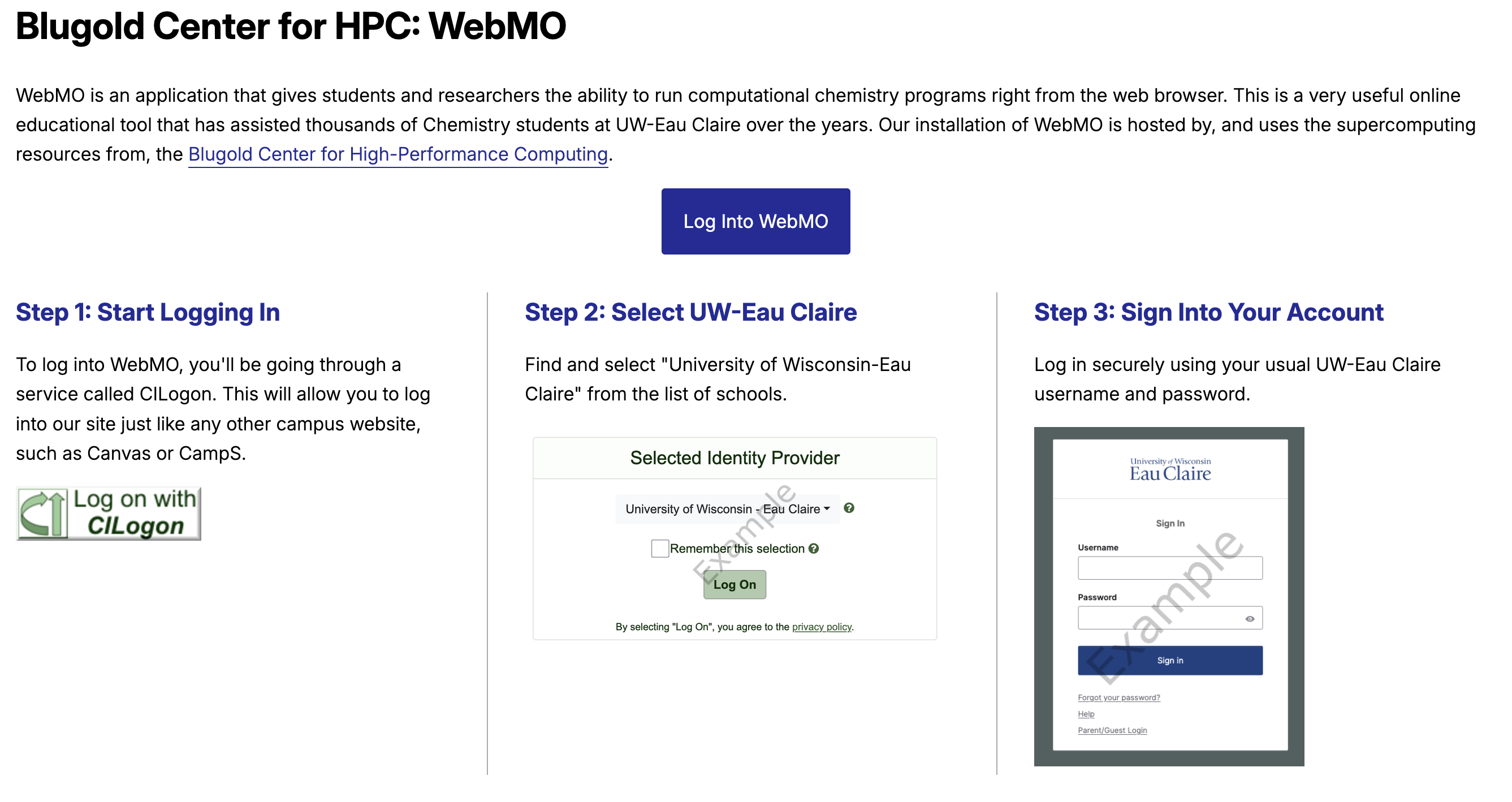
WebMO is accessible at https://webmo.hpc.uwec.edu and the first screen everyone sees is an introduction screen showing the steps to logging in with their University of Wisconsin-Eau Claire account.
Step 2: Select Your Campus and Log In
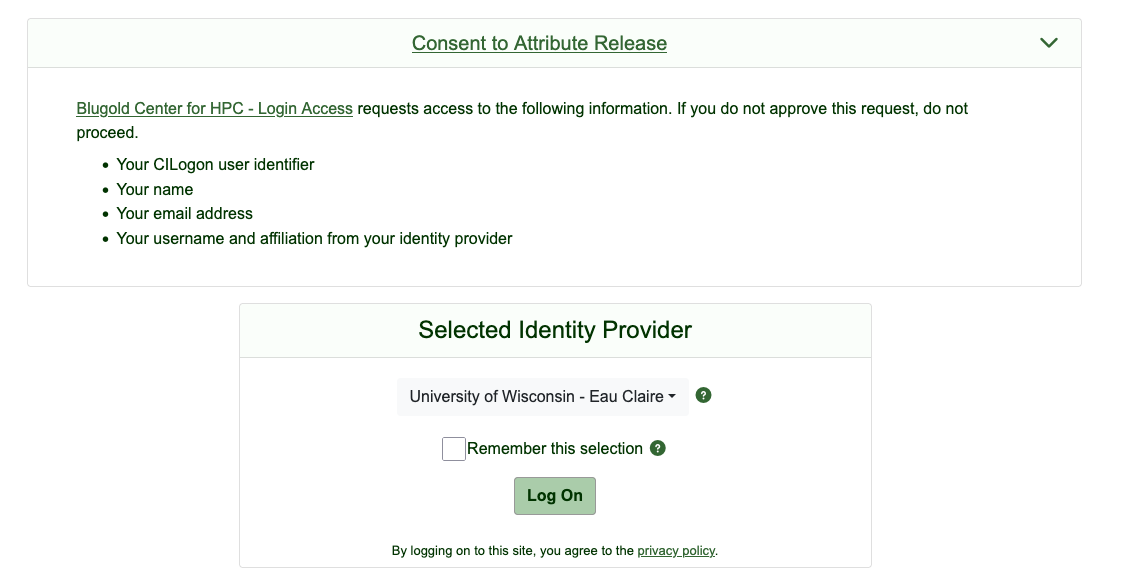
After clicking "Log into WebMO", you'll be directed to a third party site called CILogon. CILogon is a NSF-funded service that allows web applications to support account logins from universities all over the world. While our WebMO only allows UW-Eau Claire accounts, we also use CILogon on other HPC services to support other UW campuses.
Choose "University of Wisconsin-Eau Claire" from the list of identity providers and log in using your UW-Eau Claire credentials.
Step 3: Choose Your Class or Research Group
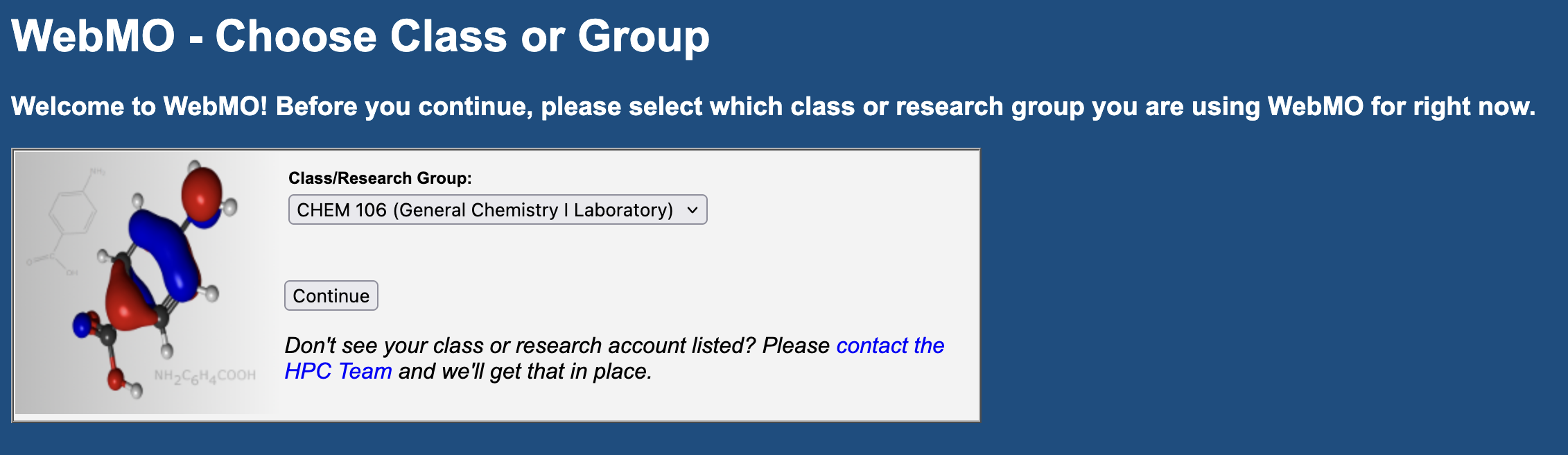
After logging into your UW-Eau Claire account, you'll be asked to choose a class or research group. This only applies for this current session and you'll be asked again each time you log in. This allows the HPC Team to know how WebMO is being used and allows us to ensure that the proper computational resources are available for your class/group.
Missing a Class or Group?
If you don't see your class or research group listed in the selection list, please contact the HPC Team and we'll enable WebMO access for you. These are based on Slurm accounts, and WebMO access isn't enabled by default.
Submitting a Job
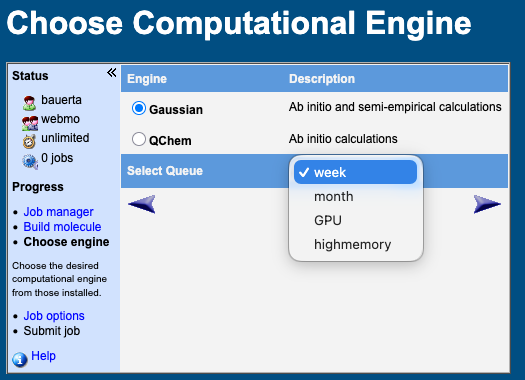
After you build your molecular structure, you are asked to choose a computational engine and a queue, before you are able to choose engine-specific options.
Computational Engine:
Computational engines are chemistry software that each perform different calculations and analysis depending on what you want done. Right now we support only two programs:
- Q-Chem
- Gaussian
The HPC Team is able to integration additional engines for WebMO depending on current licensing available for the university. If you have something else you'd like us to explore, please contact the team.
Queues:
Queues relate to Slurm partitions (see guide) on our computing cluster and are based on hardware specs and how long jobs are able to run for. The majority of WebMO jobs are able to simply use the week partition, but some structures may require more memory (highmemory) or GPU (GPU) support.
Real Example
Has your research group or class used WebMO in a project? Contact the HPC Team and we'd be glad to feature your work.
Citation
Please include the following citation in your papers to support continued development of WebMO.
Polik, WF, Schmidt, JR. WebMO: Web-based computational chemistry calculations in education and research. WIREs Comput Mol Sci. 2021;e1554. https://doi.org/10.1002/wcms.1554