What is HPC?
High Performance Computing (HPC) is a field of the computational sciences which integrates many scientific domains to introduce parallel processing to work towards producing a solution to large and/or complex calculations.
Clusters
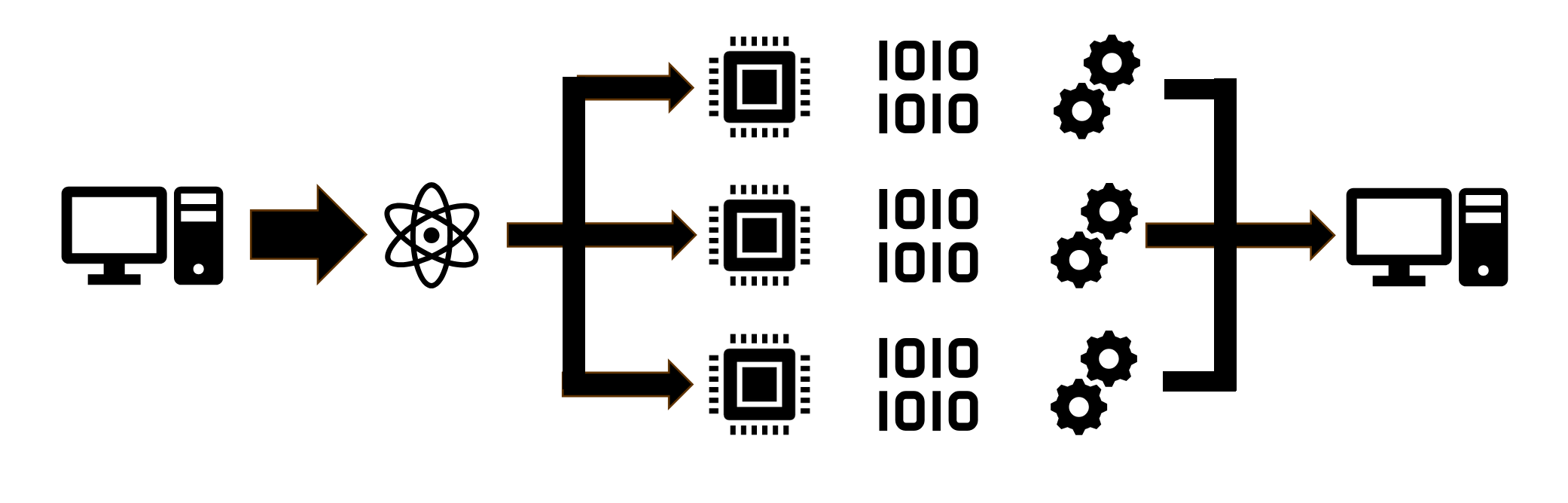
When researchers need to compute a calculation using a smaller dataset, likely said research would be able to use their own personal laptop to reach a satisfiable answer. However, as many fields advanced and data collected became more abundant the calculations required by researchers to reach any definitive conclusion ballooned. Scientists started needing larger and much more powerful computers to be able to handle these data calculations, where at some point it became infeasible to be able to build a single machine that would be capable of outputting the necessary computational resources to handle these huge datasets. So instead of producing a single machine, they created interlinked systems of multiple computers (or a cluster) all working together sharing their allocated resources.
A great example of this scenario is our inhouse cluster, the BOSE computing cluster consists of 65 separate machines, some with different types of hardware (ie GPU vs CPU centric nodes) which lets them handle different computing loads in different ways. When a researcher needs a lot of resources, they can submit "jobs" which allocates resources from multiple different computers in the cluster depending on the requested partition.
TL:DR
A cluster is a network of computers pooling their resources and working together to tackle computationally complex tasks.
CPUs, GPUs, FLOPs and RAM
When we talk about HPC capability (or computer capability in general), there are multiple different factors and metrics that we have to look at.
What is a CPU?
A CPU is the "Central Processing Unit", or the "brain" of a computer. It not only runs calculations passed by the operating system, but also directs the flow of data throughout a system. Essentially, most of the computers instructions and information flows through the CPU, handling most of the larger systems upfront processing.
The CPU pipeline does calculations one by one on a per core basis, where each core can represent something similar to a train station. One train stops at the station (calculation), and the other trains have to wait for that one to finish up and leave in order to get to the station and start their own work. Most modern computers have multiple cores, adding more train stations for trains to go through. for example, each node in the BOSE cluster has 64 separate cores, allowing for 64 calculations to happen at once. If you'd like more info on how a CPU operates, you can visit this article for more info.
TL:DR
A CPU contains many cores (every server on BOSE has 64 across two chips), where each core contains circuits to perform arithmetic and logic operations, allowing for the core to execute instructions independantly. Meaning large jobs are broken up into smaller steps and assigned to each core to speed up the process.

What is a GPU?
A GPU (Graphical Processing unit) has special circuitry designed to accelerate the process of the creation, rendering or analysis of graphics. A GPU works similarly to a CPU, processing calculations through separate cores. What differentiates the two is the amount, speed, and circuitry composition of the GPUs and their compute cores, especially surrounding matrix related calculations such as image processing (which very heavily relies on matrix operations).
While a CPU chip on the BOSE cluster has 64 cores (each node has 2 CPU chips) running at 3.3 GHz (3.3 billion instructions per second), a single V100S GPU card has 5,120 cores, allowing it to run 5,120 tasks at once. Because of it's architecture, a processing core on a GPU card is slower than a CPU core, but the amount of cores make GPUs much faster for tasks like Machine Learning, Data Visualizations, and Simulations, making GPUs an important addition to any HPC center. The BOSE cluster has 14 GPU cards.
TL:DR
A GPU has many more cores than a CPU (one of our single GPU cards has 5,120 cores), allowing them to not only complete MANY more operations in a second, but also these GPUs are designed with special circuits to handle image processing.
FLOPs
The overall speed of large supercomputers and its components is quantified into what are called FLOPS, or Floating Point Operations Per Second. This is a value calculated from the computers total computing resources, including CPUs and GPUs, by taking into account the number of CPUs per node, their speed in GHz, and how many cores they each have.
The FLOPS ranking measurement system follows the Metric Prefix system, so
1 DecaFLOPS = 10 operations per second
1 KiloFLOPS = 1,000 operations per second
1 GigaFLOPS = 1,000,000,000 operations per second
1 TeraFLOPS = 1,000,000,000,000 operations per second
The world's fastest computer, El Capitan has been measured at 1.8 exaFLOPs, or 1.8 quintillion calculations per second.
BOSE measures in at about 120 TeraFLOPS.
RAM
RAM (Random Access Memory) is another form of computer memory, temporarily holding the data that the CPU and GPU needs to run calculations in the moment. It's much faster to access than physical memory (disk storage), which is designed for long term storage, but with the trade off of being more expensive and so many systems will typically have a lot less RAM than physical memory.
Most standard desktop computers have 16 or 32 Gigabytes of RAM, while each compute node of BOSE starts off at 256 Gigabytes, and the entire cluster has ~18 terabytes, or 18,000 Gigabytes.
TL:DR
RAM is a type of memory that the CPU can access faster than physical memory, making it more valuable in a system.
Disk Storage
Disk storage is the long-term storage for files. When a researcher downloads a dataset, it is saved into disk storage. When the researcher runs a program which uses the dataset, it's copied from the disk storage into RAM and used by the CPU or GPU.
Our BOSE cluster is broken into four buckets of storage:
- User Data: This is a user's personal files stored in what is known as their home directory.
- Group Data: This is shared files for an entire research group, and is recommended to be where all files should be placed.
- Class Data: Where files specific to classes are stored. Every student is given their own folder and has access to a repository of files for their class, such as datasets.
- Scratch: This is temporary working space to place files while a script is running. We support local (on-node, fastest but limited in capacity) and network (off-node, but supports several terabytes of space).
More about our storage set up »
Real-World Examples
HPC is utilized to advance many everyday things, including:
- Calculating the first ever image of a black hole
- Training the Llama3 Large Language Model (LLM) on a cluster of nearly 25,000 H100 GPU cards (Llama 4 is being trained on a cluster of 100,000 cards)
- Predicting the weather
- Genome Sequencing
- Simulating the US nuclear strategic stockpile to mitigate the need for risky hands-on-maintenance
- Drug discovery
While HPC impacts projects across the world, we also see its benefit right here at UW-Eau Claire. Check out the list of academic publications on our main website that have been submitted to us by researchers that used our computing infrastructure.